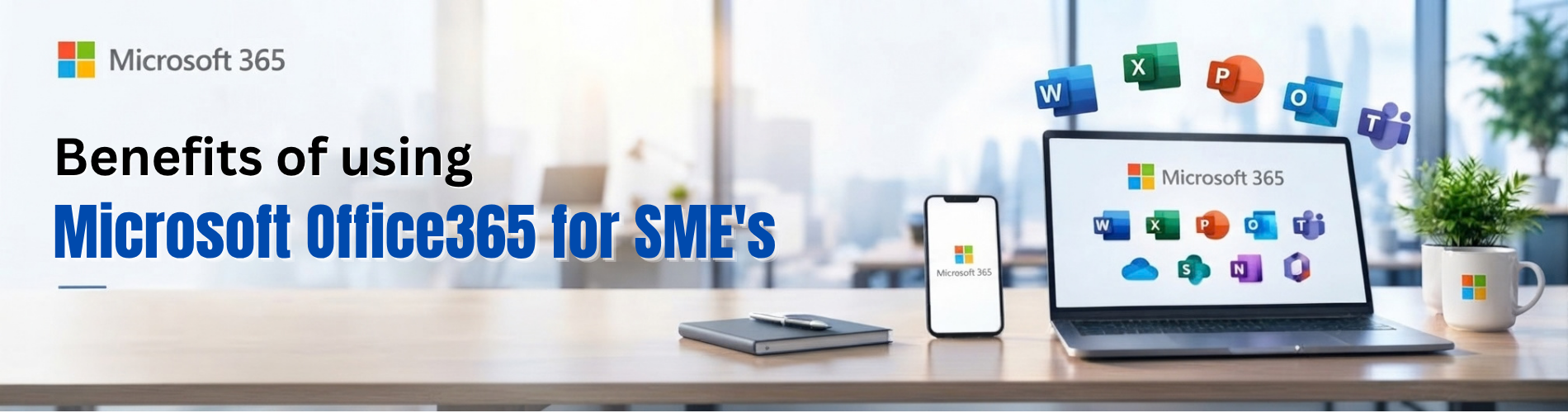
Benefits of Using Microsoft 365 (Office 365) for SMEs in the UAE
Small and medium-sized enterprises depend on reliable communication, organised information, and productive employees. Yet many growing businesses still manage their daily work through a mixture of personal email accounts, documents saved on individual computers, and disconnected applications.
This approach may work when a company has only a few employees. As the business grows, however, it can create problems. Teams struggle to find the latest quotation, customer information becomes scattered, and important documents may remain accessible only to one person.
Microsoft 365 can help SMEs create a more organised digital workplace. Commonly known by its earlier Office 365 branding, Microsoft 365 combines productivity applications with cloud services that support business communication, document management, collaboration, and security.
For businesses in Dubai and across the UAE, the opportunity is practical: employees can spend less time searching for information and more time serving customers, completing projects, and supporting growth.
This guide explains the main benefits of Microsoft 365 for SMEs, how those benefits apply to everyday business activities, and what to consider before choosing a plan.
What Is Microsoft 365?
Microsoft 365 is a subscription-based collection of applications and services for work. Its business offerings provide different combinations of Office applications, company email, cloud storage, collaboration tools, and security capabilities.
For SMEs, the main plans are Microsoft 365 Business Basic, Business Standard, and Business Premium. Business Basic includes web and mobile Office applications. Business Standard and Business Premium also include desktop Office applications. These plans provide custom business email and 1 TB of OneDrive storage per user.
Businesses should check the exact subscription they intend to purchase because features and licensing options differ. For example, Microsoft offers business plan variants with and without Teams.
The best subscription is the one that fits your employees’ actual needs, working habits, and security requirements.
1. Create a Professional Business Email Identity
Email remains central to customer communication. Quotations, purchase orders, appointment confirmations, and project updates all depend on a reliable company email system.
An address such as sales@yourcompany.com presents a consistent business identity and makes it easier for customers to recognise your organisation.
Microsoft 365 business email can support a more structured approach to correspondence. Instead of employees using unrelated personal addresses, the company can establish naming conventions, define account ownership, and organise communication around business roles.
Consider a small equipment supplier in Dubai. Sales employees need to answer customer enquiries, purchasing staff need to contact suppliers, and management needs visibility into ongoing work. A planned company email structure helps make these responsibilities clear.
The benefit is especially noticeable as employees join or leave. When communication takes place through company-managed accounts, the business is better positioned to maintain continuity through an appropriate account and data handover process.
2. Improve Productivity With Familiar Applications
Learning new software takes time. SMEs often need tools that employees can adopt without a lengthy adjustment period.
Microsoft applications are already familiar to many office workers. Word supports business documents, Excel helps organise and analyse information, PowerPoint supports presentations, and Outlook brings email and calendar activities together.
These tools can support everyday work such as:
Preparing quotations, proposals, and customer letters.
Tracking expenses, sales activity, and purchasing requirements.
Creating product presentations and company introductions.
Organising meetings and following up on customer requests.
For example, a professional services company could establish a standard proposal template and a shared approach to project reporting. Employees would spend less time rebuilding documents and more time improving the information inside them.
Productivity also depends on consistency. Agreeing on templates, file names, and working procedures helps the team use familiar applications more effectively.
3. Support Employees Working Across Different Locations
Many SMEs operate beyond a single office. Sales employees visit customers, technicians work at project sites, and managers may need to review information while travelling.
Microsoft identifies remote productivity and secure access to business resources as key capabilities of Business Premium. Its connected tools can support employees working both on site and remotely.
Imagine a technician who needs to review a customer’s project documentation before a site visit. If approved files are organised in a shared company location, the technician has a clearer route to the information.
Similarly, a manager reviewing a proposal away from the office can avoid depending entirely on a colleague to find and forward documents.
For this approach to work well, the business needs suitable devices, appropriate permissions, and reliable connectivity. Employees should also know which applications and storage locations they are expected to use.
4. Organise Documents With OneDrive and SharePoint
Document organisation becomes increasingly important as a company grows. A collection of files spread across laptops, email attachments, and personal folders can quickly become difficult to manage.
Microsoft 365 business suites include OneDrive and SharePoint services. These provide a foundation for organising individual working files and shared company content.
A practical setup might use OneDrive for an employee’s working documents and SharePoint for files that belong to a department, project, or the wider organisation.
For example:
| Business area | Examples of content to organise |
|---|
| Sales | Approved proposals, product information, quotation templates |
| Purchasing | Supplier quotations, purchasing procedures, order documents |
| Operations | Project documentation, schedules, service reports |
| Finance | Authorised working documents and reporting templates |
| Human resources | Policies and employee documents with restricted access |
The goal is to give employees a clear answer to two questions: where should this document be stored, and who should be able to access it?
Clear ownership is equally important. Shared company documents should have a responsible team or administrator, rather than depending on one employee’s personal filing habits.
5. Make Collaboration More Consistent
Collaboration problems often begin with unclear processes. Employees may discuss the same project through email, personal messages, phone calls, and separate documents. Important decisions then become difficult to locate.
A connected workplace gives the business an opportunity to establish a more consistent approach.
For example, a project team can agree on one place for project discussions, one location for approved documents, and one process for recording decisions. Where Teams is included in the selected subscription, it can support the communication side of this arrangement.
Consider a company preparing a customer proposal. Sales needs pricing from purchasing, technical input from operations, and final approval from management. A defined collaboration process helps everyone understand what is required and where to find the relevant information.
Software alone will not solve unclear responsibilities. The strongest results come when the business combines its tools with simple working rules that employees can follow.
6. Strengthen Account and Email Security
Business email and user accounts can provide access to sensitive information. Protecting them is an important part of maintaining reliable operations.
Microsoft 365 business subscriptions include security defaults that support multifactor authentication, along with built-in protections for cloud mailboxes against malware, spam, and certain phishing threats.
Business Premium provides additional controls, including Conditional Access through Microsoft Entra ID Plan 1 and enhanced email protection through Defender for Office 365 Plan 1.
For an SME, the practical benefit is the ability to build a more structured approach to account protection.
This should include reviewing administrator access, checking that authentication protections are correctly applied, and teaching employees how to recognise suspicious requests.
For example, an unexpected email requesting a change to supplier bank details should still be verified through the company’s established process. Security tools help reduce risk, while staff awareness supports better decisions.
7. Gain More Control Over Business Devices
As employees work from different locations, the number of devices accessing company information can increase.
A business may have company laptops, mobile phones, and approved personal devices in use at the same time. Keeping track of these devices becomes more important as the organisation grows.
Microsoft 365 Business Premium includes Microsoft Intune Plan 1 for device and application management and Microsoft Defender for Business for device protection.
These capabilities can support a more organised device management approach. However, they need to be configured around the company’s requirements, supported devices, and ownership policies.
Before introducing device controls, an SME should decide which devices employees may use, what company information they can access, and who is responsible for managing them.
Clear policies make the technology easier to administer and help employees understand their responsibilities.
8. Plan Software Spending More Clearly
For many SMEs, technology spending develops gradually. One department purchases a file-sharing tool, another uses a separate meeting platform, and employees may have different software subscriptions.
Over time, this can create overlapping costs and administrative work.
Microsoft 365 offers an opportunity to review which services the company needs and whether a more unified setup would be practical. Microsoft describes Business Premium as combining productivity and security capabilities with centralised administration and billing.
However, savings should be assessed rather than assumed.
A useful comparison should include licence costs, migration work, ongoing support, training, and any additional services the business requires. Subscription commitment and renewal terms also matter.
The right decision is based on the total cost and usefulness of the setup, rather than the lowest advertised licence price.
9. Support Growth With a Planned Account Structure
New employees need access to email, applications, and relevant business information. Without a consistent process, onboarding can become slow and confusing.
Microsoft 365 business plans are designed for organisations with up to 300 users. Microsoft’s current guidance limits the combined total to 300 seats across Business Basic, Business Standard, and Business Premium.
Within that scale, SMEs can establish a repeatable onboarding process.
For example, the business can define the applications and document access needed by sales employees, finance staff, and operations teams. Each new employee can then receive access based on their responsibilities.
The same planning supports departures and role changes. A clear process helps the business review access, arrange document handovers, and maintain ownership of important information.
10. Improve the Flow of Customer Service
Customers notice when a business responds clearly and follows through on commitments.
Well-organised internal information can help employees answer questions more confidently. A salesperson who can locate the approved product document or current proposal is better positioned to respond without unnecessary delays.
For example, a customer may ask for an update while the employee handling their enquiry is unavailable. If relevant documents and communication responsibilities are properly organised, another authorised colleague has a better chance of continuing the conversation.
Microsoft 365 can support the working environment behind this process. The business still needs clear responsibilities, accurate records, and sensible response procedures.
Together, these practices can improve consistency and reduce avoidable confusion.
Choosing the Right Microsoft 365 Plan
Choosing a plan starts with understanding how employees work.
| Plan | Typical fit | Key consideration |
|---|
| Business Basic | Teams comfortable using web and mobile Office applications | Check whether browser-based work meets everyday requirements. |
| Business Standard | Employees who need installed desktop Office applications | Useful when desktop application access is an operational requirement. |
| Business Premium | Businesses requiring broader security and device management | Allow time and responsibility for configuring the additional controls. |
Business Standard adds desktop applications, while Business Premium adds security and management capabilities beyond the productivity features. Confirm Teams inclusion and the exact offer before purchasing.
A small business with straightforward requirements may need a different setup from a company handling multiple locations, managed devices, and sensitive customer information.
Preparing Your SME for Microsoft 365
A successful implementation begins before employees start using the new accounts.
First, review your current environment. Identify existing email accounts, company domains, shared files, applications, and devices. Confirm who owns the data and which information needs to move.
Next, decide how the new environment should be organised. Establish document locations, account naming conventions, permissions, and administrator responsibilities.
Plan the migration around business operations. Employees should understand when changes will happen, how they will access their work, and where to get help.
Training should focus on everyday activities. Show employees where to save documents, how to locate shared information, and how to use the approved communication tools.
Finally, review the setup after employees have used it. Early feedback can reveal confusing folder structures, unnecessary access restrictions, or training gaps that are easier to address before they become habits.
Cloud storage should also be considered alongside your wider recovery requirements. Decide what information must be recoverable, how long it must be retained, and whether additional backup arrangements are needed.
Build a More Productive Workplace With Microsoft 365
Microsoft 365 can give SMEs a stronger foundation for communication, document organisation, collaboration, and security.
Its value comes from matching the subscription to the business and setting it up around real working needs. Clear file ownership, practical employee training, and appropriate access controls help turn a software subscription into a useful part of daily operations.
For SMEs in Dubai and across the UAE, this can support a more organised workplace as teams, customer expectations, and operational demands grow.
Planning to introduce Microsoft 365 or review your current setup? Contact ITSP Technologies Co. LLC to discuss your business requirements and next steps.